Context Window Limits and AI Assistant Accuracy in Large Game Codebases
Bigger context windows won't help if the wrong files end up inside them.

Vendors advertise context windows from 128,000 to 1,000,000 tokens as of early 2026, a figure Tokalator's research treats as the industry's primary marketing differentiator. That number tells a developer almost nothing about whether the assistant will write working code, because a context window of any size filled with the wrong files produces the same broken output as a tiny one. The question that actually determines accuracy is which files land in the window and why, not how big the window is.
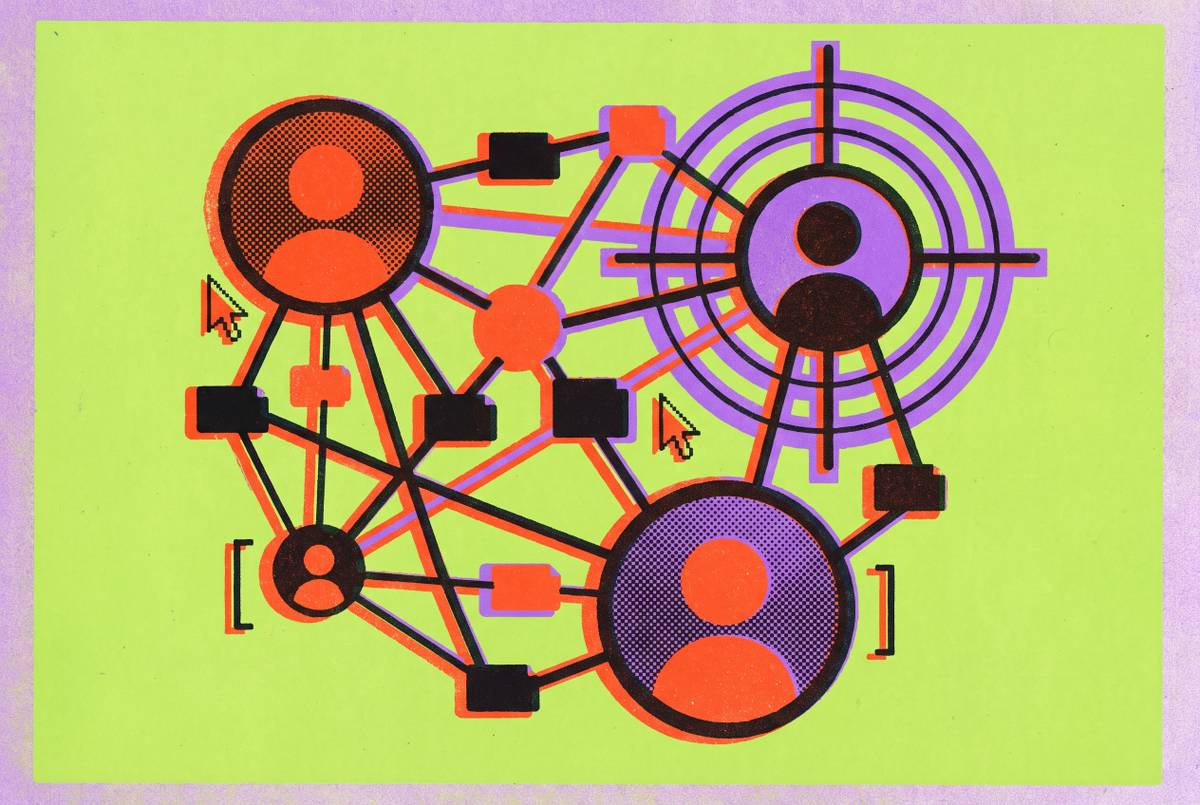
Most AI coding tools build that window from whatever happens to be nearby: the file currently open, a handful of recently viewed tabs, little else. The authentication service three folders over, the shared utility library every script depends on, the physics layer configuration that governs collision behavior across the whole project: none of it reliably makes the cut. When the model needs to reference something outside that narrow slice, it doesn't stop and ask. It guesses, producing function calls to methods that don't exist and node names that were never defined, dressed up convincingly enough to look like it compiles until a developer actually runs it.
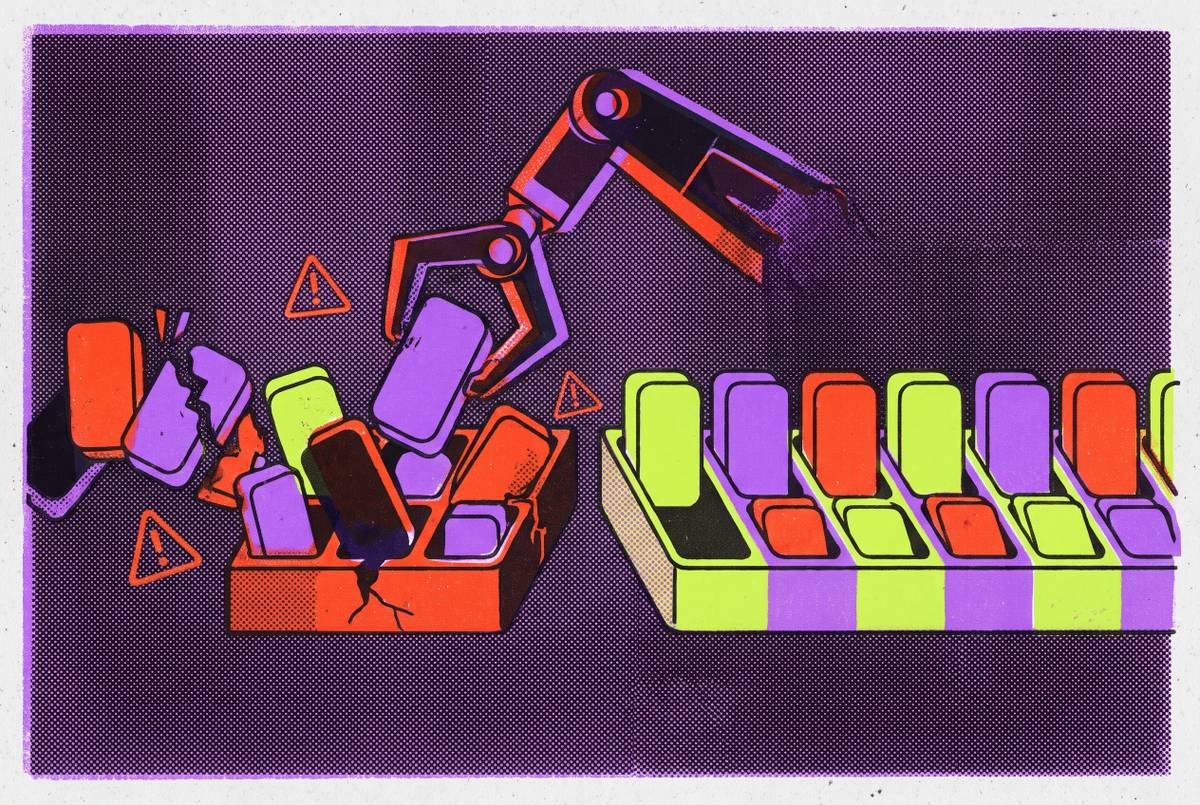
Tokalator's research names three mechanisms that compound this failure when context goes unmanaged. The first is attention dilution: irrelevant files compete for the model's attention alongside relevant ones, and output quality drops as the ratio worsens. The second is cost growth that scales with the square of conversation length, not in a straight line. The third is context rot, a decline in accuracy that appears even on simple tasks once a conversation runs long enough, and that worsens the more distractor content sits in the window alongside the material that actually matters. So a bigger window doesn't buy a developer more reliability. It buys more room for the wrong things to pile up.
Game codebases make the retrieval problem structurally worse than ordinary software projects
A web application's architecture mostly lives in text: route definitions, database schemas, API handlers, all searchable and all indexable by the kind of retrieval systems that power most coding assistants. A game project doesn't work that way. Its most consequential structure lives in scene trees, node hierarchies, physics layer assignments, and signal connections wired up inside the editor itself, and this governs whether a feature behaves correctly. None of that is recoverable by scanning text files, because none of it is expressed as text.
An assistant working from a plain chat window or a standard IDE plugin has no way to see the scene tree. It can't run the game, and it can't check which nodes exist at runtime. So it guesses at node names, guesses at signal targets, and hands the developer code that points to objects the project doesn't have. Someone then has to trace the gap by hand, open the editor, confirm what's really there, and correct the assistant's assumptions one at a time. Game projects also interleave scripts, scene files, resource files, and physics configurations whose relationships to each other are not something a text search can reconstruct, because the dependency runs through the engine's own object graph, not through import statements.
GDScript adds a failure mode on top of this unrelated to retrieval. Training data for most models skews toward older language patterns, so a model will drift toward deprecated API calls, outdated signal connection syntax, and physics layer setups that worked in an earlier engine version but fail silently in a current one. The code looks right. It runs, until it hits the one line that calls a method the engine removed two versions ago, and because scripts tend to grow longer over time, that single stale call is often enough to break an entire file.
What context rot looks like as a conversation grows longer
Accuracy does not hold steady for a while and then fall off a cliff once the window fills up. It degrades gradually, turn by turn, as a conversation lengthens and stale assumptions accumulate inside it. Research by Hong et al., cited in Tokalator's analysis, found that this degradation is uneven across different models, that it appears even on retrieval tasks simple enough that no model should struggle with them, and that it worsens measurably once distractor content sits in the context alongside the material that matters.
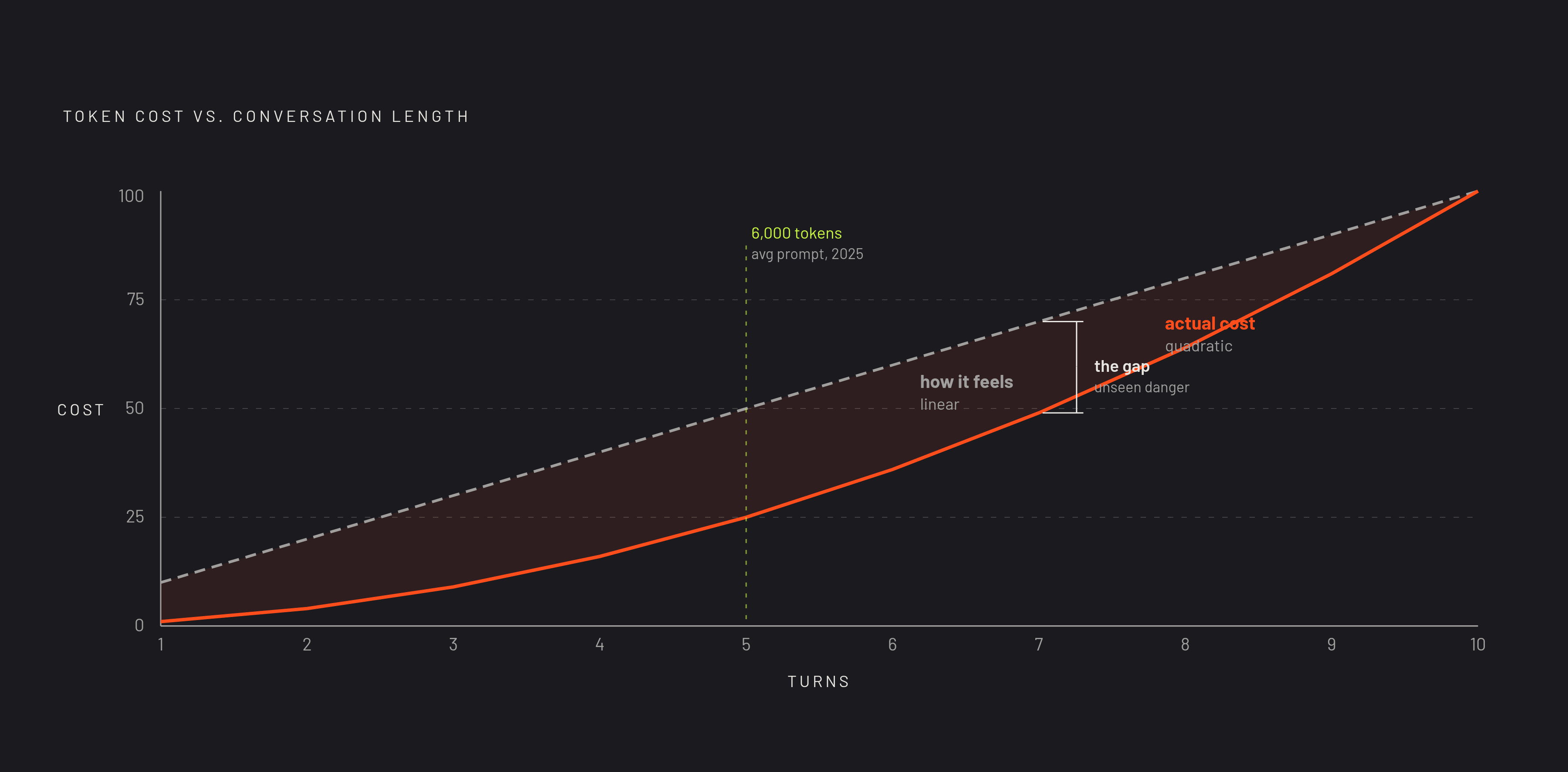
The mechanism behind this is structural: at each new turn, the model receives the entire accumulated history again, including the system prompt, every message the developer has sent, and every response the assistant has given back. Tokalator's analysis shows that even when the context you add at each turn grows only in a straight line, the cumulative token cost grows with the square of the conversation length. A session that feels like it's just getting longer is, in cost and dilution terms, growing much faster than that.
This matters more now than it did two years ago because prompts themselves have grown. Research by Aubakirova et al., drawing on a large sample of real-world OpenRouter interactions, found that average prompt length grew nearly fourfold between 2024 and 2025, passing 6,000 tokens, driven by agentic workflows and reasoning-heavy tasks. Prompts are now routinely large enough that context rot can start mattering inside a single working session, not just across an unusually long one.
Tokalator's survey across developer community sessions found that instruction-file injection and low-relevance open tabs rank among the biggest invisible consumers of a session's context budget, imposing a human cost on developers who can't see it happening. Most developers never see this happening. They have no dashboard showing what's eating their window, so the degradation reads as the assistant simply having a bad day, when the actual cause is sitting in a stack of open tabs nobody closed.
A second, independent version of the same problem comes from stale indexing. Most AI indexing systems refresh on a schedule rather than continuously, so between updates, a branch switch, a renamed function, or a merged pull request leaves the model working from a map of the repository that no longer matches the territory. The model is reasoning correctly from information that stopped being true before the conversation even started, not malfunctioning in that moment.
Why the tools developers reach for first handle this problem least well
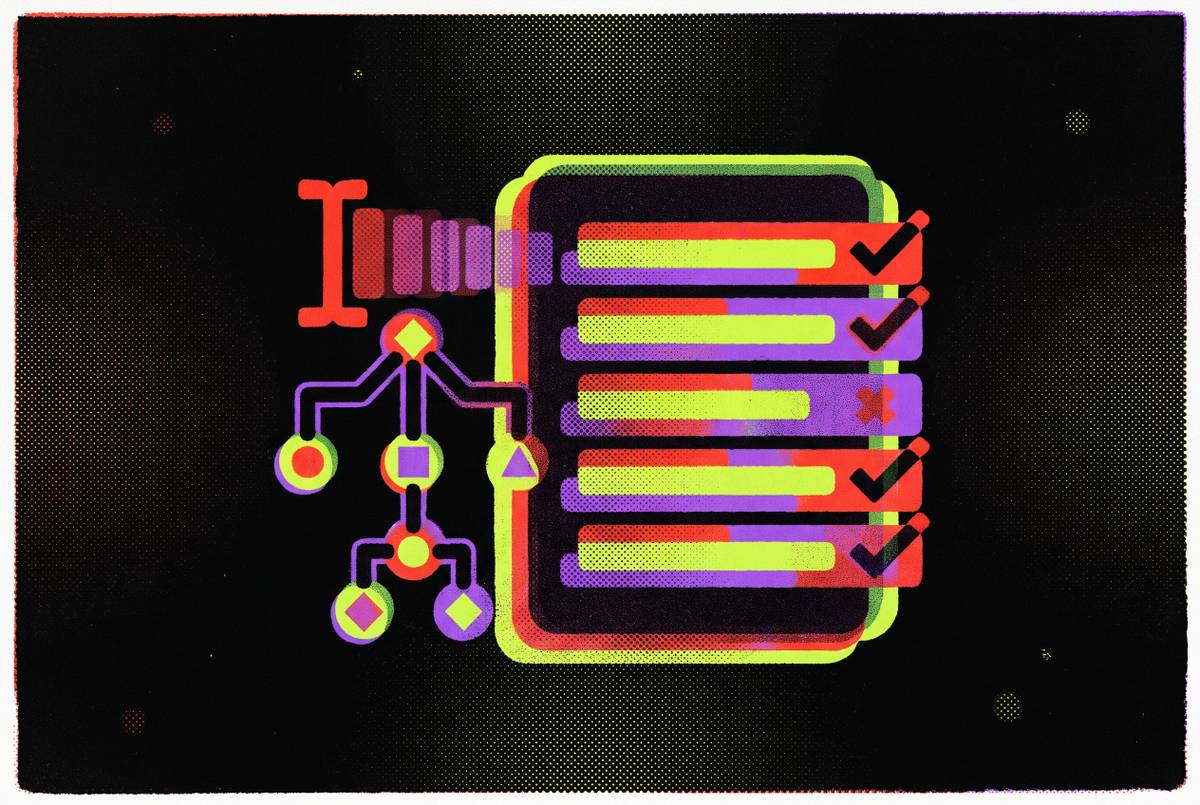
Nearly every major AI coding assistant advertises repository-wide context as a feature, and nearly every one runs into documented limitations once the codebase grows past a modest size. That gap between the marketing language and what the tools actually deliver at scale isn't a quirk of any single product. It occurs consistently across the field, because most of these tools share the same underlying architecture: a retrieval layer bolted onto an IDE, deciding what to surface to the model based on open tabs, recency, and simple text matching rather than any real understanding of how the project's pieces depend on each other.
Tools that perform better at scale tend to share a specific property that most developers aren't told to look for: they build a structural index of the project's dependencies, so retrieval can follow actual relationships between files. That approach doesn't eliminate context rot or attention dilution, but it changes what ends up in the window in the first place, and that is what determines accuracy. No assistant on the market has solved this outright, and the honest framing is that the industry is still working through what better retrieval looks like, not that one tool has already cracked it.
MCP: Bridging an AI Agent and a Live Game Editor
For the game-specific version of this problem, scene trees, node hierarchies, and runtime state that text retrieval simply cannot see, the most useful current workaround is connecting the AI agent directly to the live editor through the Model Context Protocol. MCP, introduced by Anthropic in November 2024, has moved from a new specification to infrastructure in a short span of time: it has passed hundreds of millions of monthly SDK downloads, earned tens of thousands of stars on its GitHub repositories, and is now supported by Anthropic, OpenAI, Google, Microsoft, and AWS.
In a game development context, the pattern typically works like this: an addon running inside the editor exposes the live scene tree, node properties, and a GDScript execution channel over a local WebSocket connection. An MCP server sits between the AI client and that WebSocket, translating the model's tool calls into editor actions, so the agent can read the actual scene as it exists right now, create nodes, write scripts, capture screenshots, and execute GDScript at runtime, instead of inferring all of it from static text files.
Godot-Clarity, built by AKDworks, is one working example of this pattern. It directly supports Godot 4.7.x with GDScript across both 2D and 3D projects, and documentation tuned to each version gives it best-effort support back to Godot 4.0. Rather than running as a traditional MCP server, it connects to AI clients, including Codex, Claude Code, Cursor, and Google Antigravity, through its own Agent Skill format. The bridge itself is free and open source, so whatever a developer pays comes from the AI client they've chosen to pair it with, not from Godot-Clarity.
Take the trade-off seriously. If you connect more tools through MCP, you inject more tool schemas into the system prompt, and traditional implementations load all of a server's schemas at once, even the ones irrelevant to the current task. Research from MCP-Zero notes that existing approaches to optimizing MCP context remain limited and largely still follow conventional retrieval thinking. If a developer wires up several MCP servers at once, to cover scene access, version control, and asset management, the context window can fill with tool definitions, crowding out the code that actually needs attention. The editor bridge solves the game-specific blind spot. It does not solve the budget problem that causes it, and managing that budget remains the developer's job.
Practical techniques for managing what goes into the context window on a real game project
The job is to control, deliberately, what gets into the context window, treating it as a limited resource to allocate.
The simplest and highest-leverage habit is tab hygiene. Tokalator surveyed 50 developers across three community sessions, and it found that low-relevance open tabs and instruction-file injection are the leading invisible consumers of context budget. Closing files unrelated to the task at hand before starting a focused AI session costs almost nothing and removes one of the most common sources of dilution.
Conversation scoping matters just as much, because the cost of a long conversation grows with the square of its length, not in a straight line. Starting a new conversation for each distinct task, a new scene, a new system, a new bug, tends to produce more reliable output than extending a single long session that keeps accumulating assumptions from unrelated earlier work.
If a tool supports it, structural awareness can help you compensate for what retrieval alone misses. Tools built on a structural dependency index can reason about those relationships directly; where that's absent, you can supply that context explicitly yourself if you understand which files are structurally connected to a change.
Version-pinning addresses the GDScript-specific drift problem directly. If you state the Godot version in use, name any API that has changed since an earlier version, and review generated code for deprecated calls before running it, you catch the failure mode where code looks entirely correct and fails only because it calls something the engine no longer supports.
MCP server selection follows the same logic as tab hygiene, but you apply it to tools instead of files. Connecting only the servers relevant to the current task, rather than every server available at once, limits the schema injection overhead that eats into the context budget in multi-server setups.
A shift in where the real work happens drives all of these. The time an assistant saves isn't just typing time. You spend those hours reading code, tracing dependencies, and building a mental model of the project before you write a single line. If you front-load that context explicitly, rather than letting the tool guess at it, you turn a multi-hour investigation into a short, focused review.
An AI-native engine architecture that sidesteps the retrieval problem
Every technique above is a way of managing a problem that exists because the AI agent sits outside the engine, reasoning about the project from the outside in. That problem disappears when the agent is part of the engine itself, with direct, standing access to the scene tree, node properties, asset state, and project graph. There's no guessing left to do, because there's nothing left to infer.
Game engines that expose scene trees, node hierarchies, and runtime state directly to the assistant, rather than forcing it to reconstruct those relationships from text, close this gap at its source. Summer Engine integrates asset hierarchies and scene context natively into its environment, making those relationships visible to the developer and the AI assistant at the same time, which removes the hallucination pattern that arises when a model has to guess node names and signal targets from an incomplete index.
An agent built into the engine doesn't need to scan open tabs for clues, doesn't need tool schemas injected to describe capabilities it already has natively, and doesn't need to maintain an index that can fall out of sync with the project. It works from the live project state directly, so what it sees is always current and always structurally relevant by construction.
That's the real architectural line running through this entire problem: an assistant bolted onto an IDE treats context as something to be retrieved correctly at the moment of the prompt, while an agent built as a first-class part of the engine never loses context in the first place, because it never had to go fetch it from somewhere else. The vendor pitch around window size obscures exactly this distinction. Traditional retrieval systems struggle because they treat every file as equally relevant and have no semantic model of the project's actual architecture, but an engine built with AI as a native component can tell gameplay logic apart from utility code and asset metadata, so it hands the model only what the current task requires.
Stale indexing compounds this further for any AI system working from outside the engine, since it has to reason from cached snapshots that drift out of date with every branch switch, rename, and merge. An agent integrated directly into the engine tracks those changes as they happen, so its understanding of the project stays synchronized with what's actually running, rather than with what was true the last time an index refreshed.
This distinction carries the most weight for non-technical creators and time-constrained indie developers, the people most exposed when an assistant hands back code that looks right and isn't. They don't have hours to spend on context acquisition, and they often can't tell a hallucinated node name from a real one until the game breaks. Summer Engine's in-engine agent, Summer AI, operates within the engine, giving it native access to project structure, scene graph, and asset pipeline without a translation layer in between, which closes the retrieval gap at its source. Its backward compatibility with Godot projects and its support for GDScript mean you can bring forward workflows and scripting habits you've already built, so you don't have to start over.